Blogger Widgets

Wednesday, March 20, 2013

Windows 8 - Enable Run as Different User


This apply only to Windows 8 PRO et ENTERPRISE Edition Users

This can be enabled with Group Policy Editor

Windows + R ->  gpedit.msc


Search for: User Configuration\Administrative Templates\Start Menu and Taskbar
and double click on Show "Run as different user" Command on Start


and choose Enable and click OK


To force the policy to be applied,
Windows + R ->  gpupdate /force


You have it now enabled on Start Menu



That's it !


Saturday, March 16, 2013

Windows 8 - How to Set or Change File Associations?


You may want open, let's say your .jpeg pictures with Windows Viever or Picasa by default ?


Then change your file Association.
To set File Associations in Windows 8:

 > Open Control Panel
 > Programs
 > Default Programs
 >  Click on Make your File Type always open in a specific program


Find and click on file extension your are interested in and click on Change program


Select the application you want to use by default to open your .jpeg


You're done !


Friday, March 8, 2013

Windows8 - Fix - Google Chrome is slow to open my homepage


When you launch your Google Chrome browser, it takes long until your Homepage is displayed?
(This only apply to users who surf with Google Chrome without using a proxy)


Apply this easy fix, it may will help you


Open Internet Explorer

 - Go to Internet Options -  Select Connections Tab - click on Lan Settings


- Uncheck Automatically detect settings - click OK


- Close Internet Explorer

- Open Google Chrome

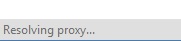
Nornally, it is not anymore trying to resolve proxy


And it opens faster; Done!


Wednesday, March 6, 2013

Windows 8 - Fix - Folders take a long time to open


1. Right click your folder
2. Choose Properties
3. Go to customize Tab
4. Select document from the drop down
5. if needed, check apply this template to all subfolder option.


Issue solved. 

That's all ;-)


Friday, March 1, 2013

Windows 2012 - How disable IE enhanced Security Configuration


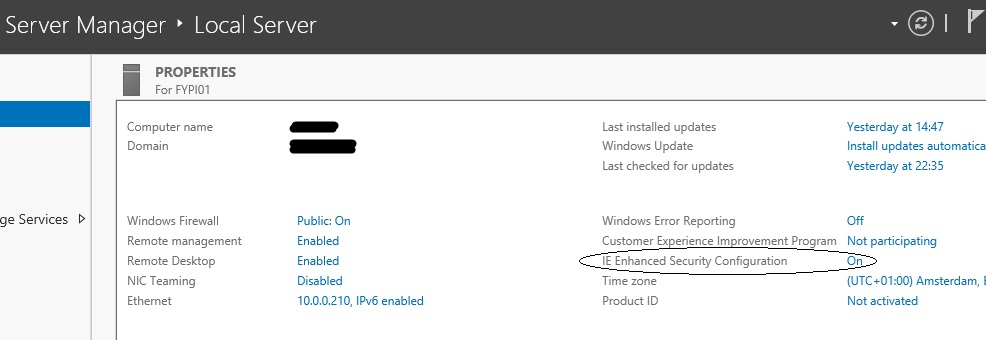
In Server Manager - Local Server - 
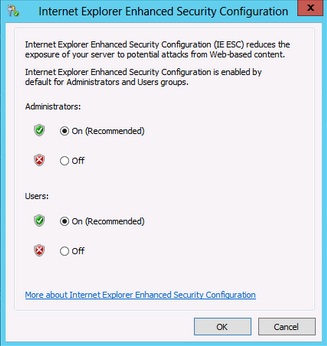
Properties Pane -  IE Enhanced Security Configuration - OFF


Then you can choose if you want disable it for Administrators or/and Users - OK


Et VoilĂ , it's done !


Copyright © 2013 Passion IT Mag

www.HyperSmash.com